
SmartGit 26.1.036 For Windows Download

SmartGit 26.1.036 for Windows is a professional graphical Git client designed to simplify and optimize Git workflows with a powerful visual interface. This software supports advanced Git operations while remaining accessible to both beginners and experienced users.
SmartGit is widely used for:
- Source code management
- Team collaboration
- Git repository management
- Branching workflows
- Code review processes
- Managing multiple repositories
Unlike many lightweight Git clients, SmartGit prioritizes professional repository management tools and advanced visualization features, while offering a clean and organized user experience.
Whether for individual developers, enterprise teams, DevOps professionals, or open-source project maintainers, SmartGit 26.1.036 provides a complete Git management environment for Windows systems. In this detailed review, we’ll explore the main features, latest updates, system requirements, pros and cons, community feedback, performance, and overall user experience of SmartGit 26.1.036 for Windows.
Key Features of SmartGit 26.1.036 For Windows:
Professional Git Repository Management
SmartGit is specifically designed for advanced Git workflows.
The software supports:
- Repository cloning
- Commit management
- Branch management
- Merging
- Rebasing
Its visual interface simplifies many complex Git operations, which are often difficult for users less familiar with the command line to grasp.
Advanced commit history visualization
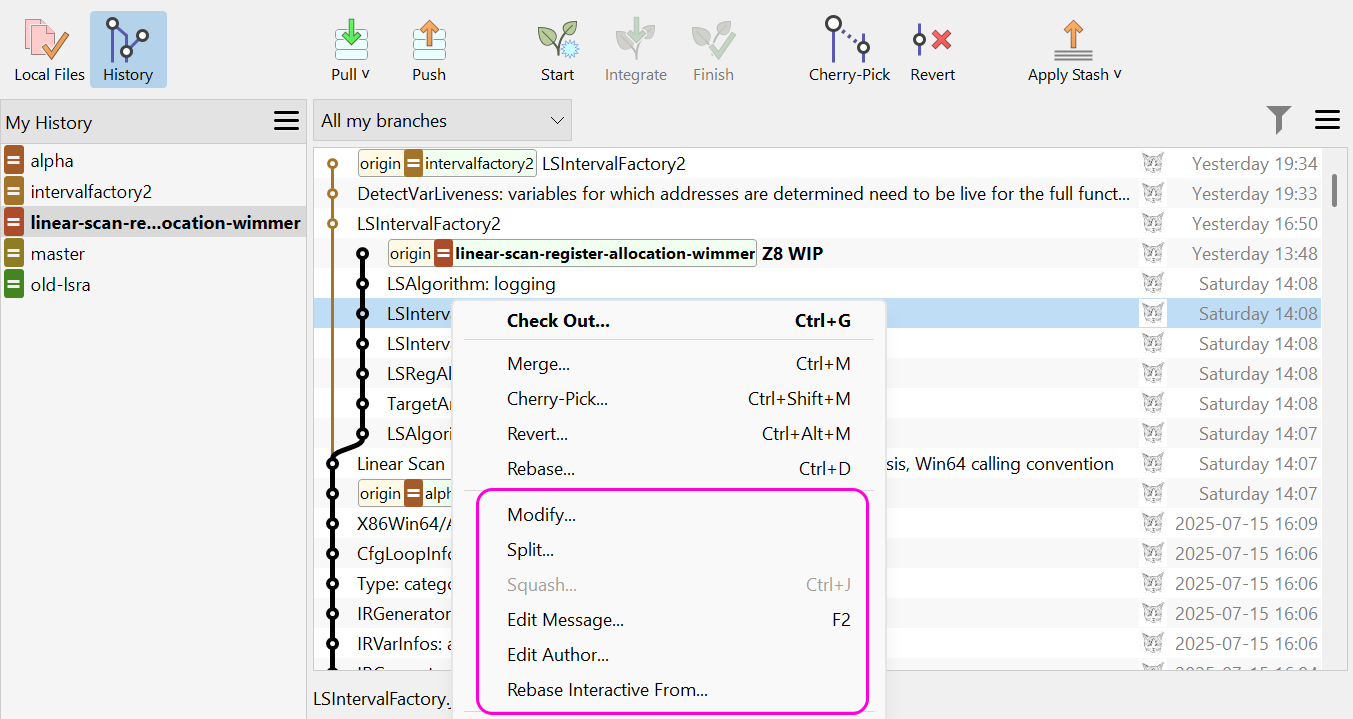
One of SmartGit’s most notable features is its graphical commit history system.
The graphical interface allows users to:
- View the commit tree
- Follow branches
- Compare histories
- Inspect merges
- Identify conflicts
- Examine the repository structure
The official documentation highlights the logging window and the graphical system as essential tools for advanced Git users.
Multi-window design
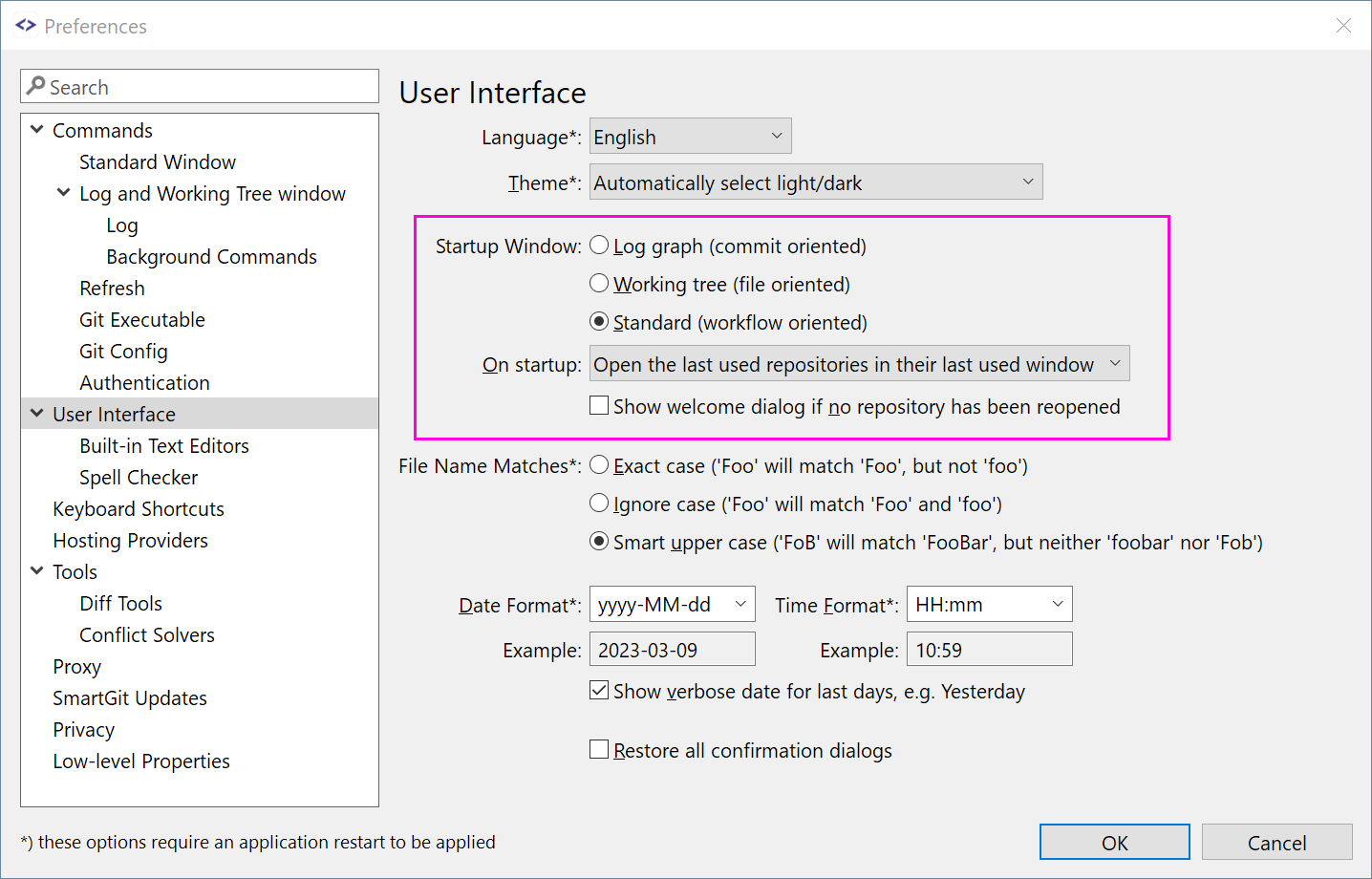
SmartGit includes several specialized windows, optimized for different Git workflows.
The main interfaces are:
- Standard window
- Logging window
- Working tree window
According to the official documentation, each interface is tailored to specific development styles and uses of Git.
Integration with GitHub and GitLab
SmartGit integrates directly with the most popular Git hosting platforms.
Features:
- Pull Request Support
- Merge Request Management
- Repository Exploration
- Continuous Integration (CI) Visibility
- Issue Integration
Version 26.1 improves compatibility with GitLab directly within the standard window workflow.
Git 3.0 Support
SmartGit 26.1 introduces support for the latest Git technologies.
The official release notes confirm support for:
- SHA-256 repositories
- Retrievable references
- Git 3.0 support
AI-powered workflow features
Recent versions of SmartGit include AI-powered workflow support.
Features:
- AI-generated commit messages
- Commit rewording
- Custom AI flags
- Merge commit support
Work tree management
SmartGit includes advanced features for managing Git work trees.
Users can:
- View the status of working trees
- Synchronize working trees
- Manage parallel branches
- Visually inspect the status of repositories
What’s New in SmartGit 26.1.036?
Major UI Redesign
Version 26.1 features a more extensive visual overhaul.
The official release notes mention:
- Redesigned icon sets
- Improved dark theme
- Updated comparison colors
- Clearer visual interface
Improved GitLab Integration
The standard window now includes more advanced GitLab features.
New features:
- Merge request workflow
- CI pipeline visibility
- GitLab issue integration
- Repository navigation tools
Commit Overlap Analysis
SmartGit 26.1 introduces a new feature: “Commit Overlap Analysis.”
This tool allows users to:
- Compare commits
- Detect overlaps
- Identify potential conflicts
- Analyze modified files
Improved Working Tree Synchronization
Recent updates improve:
- Working tree visibility
- Graphical synchronization
- Branch status tracking
Update management across multiple working trees
Bug Fixes and Stability Improvements
Version 26.1.036 includes improvements to:
- Update crashes
- UI scaling issues
- SHA-256 repository management
- Workflow stability
Screenshots:
System Requirements:
Minimum System Requirements
To use SmartGit 26.1.036 optimally on Windows, the minimum system requirements are as follows:
- Operating System: Windows 10 (64-bit), Windows 11.
- Processor: Intel or AMD dual-core processor
- RAM: 4 GB minimum
- Disk Space: Approximately 500 MB of free space
- Additional Requirements: Git included or external installation
The official download pages confirm compatibility with Windows 10 and later (64-bit).
Recommended Configuration
For smoother management of repositories and large-scale Git workflows, the following configuration is recommended:
- Operating System: Windows 11
- Processor: Intel Core i5/i7 or AMD Ryzen processor
- RAM: 8 GB or more
- Disk Space: SSD recommended
- Display: Full HD or higher
Following the recommended configuration improves performance when working with large repositories.
Advantages and Disadvantages of SmartGit 26.1.036:
Advantages
- Excellent Git visualization
- Powerful Git features
- Integration with GitHub and GitLab
- Optimal support for hosted repositories.
- User Interface Improvements
- AI-Powered Workflow Support
- Cross-Platform Compatibility
- Works on all major operating systems.
- Built-in Merge and Compare Tools
- No additional utilities required.
Disadvantages
- Learning Curve for Beginners
- Advanced Git workflows may seem complex at first.
- Premium License for Commercial Use
- Enterprise use requires a license.
- Occasional UI Scaling Issues
Conclusion:
SmartGit 26.1.036 for Windows is a powerful and comprehensive Git client designed for professional repository management and advanced development workflows. Thanks to its advanced graphical interface, integration with GitHub and GitLab, support for working trees, merge conflict resolution tools, Git 3.0 compatibility, AI-assisted workflows, and customizable interfaces, SmartGit remains one of the most complete Git GUI solutions on the market.





Leave a Reply