
LDPlayer 9.5.15.1 For Windows Download

LDPlayer 9.5.15.1 for Windows is a powerful Android emulator designed specifically for Android gaming and app virtualization on PCs. This emulator provides a fast and optimized Android environment, allowing you to run mobile games and apps with keyboard and mouse support, customizable controls, multi-instance management, macro automation, and hardware acceleration.
This software is widely used for:
- Android gaming on PC
- Mobile game streaming
- Multi-instance gaming
- Productivity apps
- Keyboard and mouse gaming
- High frame rate mobile gaming
One of LDPlayer’s main advantages is its excellent balance between performance and low system requirements. The emulator is optimized to deliver a smooth gaming experience even on mid-range hardware and supports demanding mobile games such as:
Version 9.5.15.1 includes compatibility fixes, GPU optimizations, stability improvements, and rendering enhancements for modern Windows systems. The official release notes mention fixes for white screen issues related to NVIDIA cards in certain games, as well as other user experience improvements.
Key Features of LDPlayer 9.5.15.1:
High-Performance Android Emulation
LDPlayer’s main feature is its fast, gaming-optimized Android virtualization.
The emulator is designed to deliver:
- A smooth gaming experience
- Fast app launches
- Stable frame rates
- Reduced latency
- Improved hardware utilization
LDPlayer is optimized for modern processors and graphics cards, allowing users to achieve performance exceeding that of many mobile devices.
Keyboard and Mouse Configuration
LDPlayer includes advanced keyboard configuration tools.
Users can:
- Assign keyboard controls
- Customize mouse actions
- Create firing modes
- Configure movement controls
- Create custom configurations
This significantly improves the gaming experience in competitive mobile games.
The most popular FPS and MOBA games benefit greatly from desktop-style controls.
Multi-instance support
One of LDPlayer’s most powerful features is multi-instance management.
Users can:
- Run multiple Android environments simultaneously
- Open multiple game accounts
- Synchronize actions across instances
- Automate repetitive tasks
This feature is especially popular among MMO and strategy game players.
Macros and automation tools
LDPlayer supports macro recording and creation.
Users can automate:
- Farming tasks
- Login actions
- Repetitive in-game actions
- Daily missions
- Touch sequences
This reduces repetitive manual tasks in games and mobile apps.
Google Play Store Integration
The emulator includes compatibility with the Google Play Store.
Users can:
- Directly download Android apps
- Install games normally
- Sync their Google accounts
- Access Play services
Installing APK files for manual app deployment is also supported.
High Frame Rate Game Support
LDPlayer supports:
- 60 FPS
- 90 FPS
- High refresh rate displays
GPU acceleration
This improves:
- Game smoothness
- Responsiveness in competitive games
- Visual fluidity
High frame rate support is especially useful for shooting and action games.
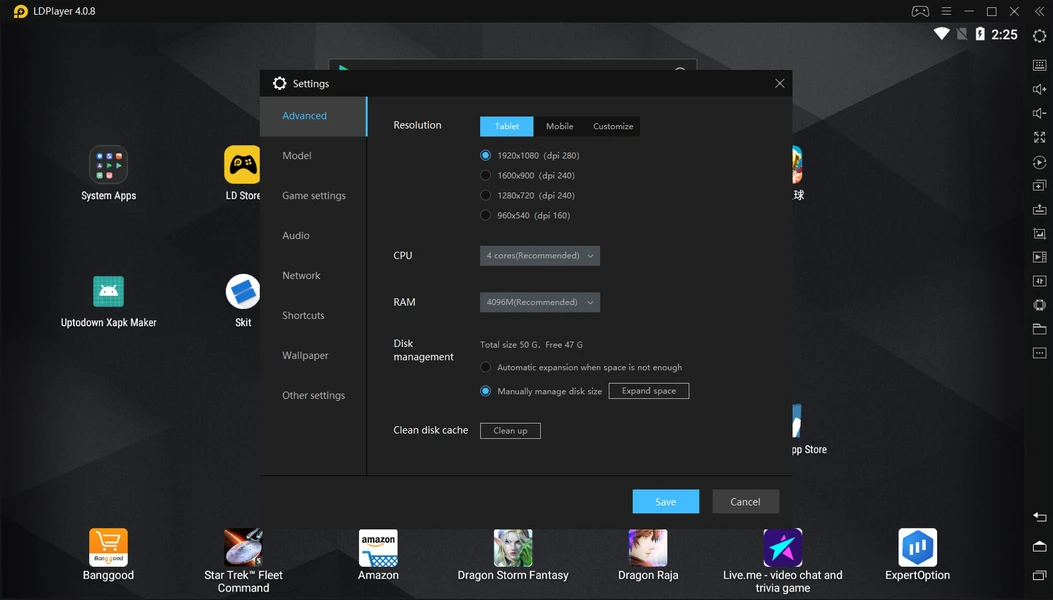
Custom Hardware Allocation
The emulator allows users to configure:
- CPU Core Allocation
- RAM Usage
- Resolution Settings
- DPI Scaling
- Rendering Modes
This flexibility allows for optimized performance for different hardware configurations.
What’s New in LDPlayer 9.5.15.1?
Fixes White Screen Issues with NVIDIA Graphics Cards
The official release notes mention fixes for:
- White screen issues
- Rendering issues with NVIDIA GPUs
- SimCity BuildIt compatibility
These improvements optimize compatibility with modern graphics hardware.
Improved GPU Optimization
Version 9.5.15.1 includes additional GPU optimizations for:
- Increased smoothness
- Improved rendering stability
- Optimized texture handling
- Reduced graphical slowdowns
This results in improved performance for demanding Android games.
Improved Hyper-V Compatibility
Recent versions improve compatibility with:
- Windows virtualization features
- Hyper-V environments
- Windows 11 virtualization systems
This helps reduce emulator conflicts on modern Windows installations.
Performance and Memory Improvements
The latest versions optimize:
- RAM management
- CPU usage
- Emulator startup speed
- Background processing
These improvements help reduce slowdowns and crashes during gameplay.
Stability improvements and bug fixes
Version 9.5.15.1 also fixes:
- Display crashes
- Compatibility issues
- Game-specific problems
- Improved user interface responsiveness
- Emulator stability
These fixes improve overall reliability during long gaming sessions.
Screenshots:
System Requirements:
Minimum system requirements
To run LDPlayer 9.5.15.1 optimally, your system typically needs the following:
- Operating System: Windows 7, 8, 10, or Windows 11 (64-bit)
- Processor: Intel or AMD processor compatible with the Virtualization
- RAM: 4 GB minimum
- Graphics Card: DirectX 11 compatible GPU
- Disk Space: At least 10 GB free space
- Virtualization: Intel VT-x or AMD-V recommended
Recommended Configuration:
For a smoother gaming experience and optimal multi-instance management, the following configuration is recommended:
- Operating System: Windows 10 or Windows 11
- Processor: Intel Core i5/i7 or AMD Ryzen
- RAM: 16 GB or more
- Graphics Card: NVIDIA GTX/RTX or equivalent AMD
- Storage: SSD or NVMe SSD recommended
Advantages and Disadvantages of LDPlayer 9.5.15.1:
Advantages:
- Smooth gameplay and optimized rendering
- Ideal for advanced gaming workflows
- Much better than touch controls for many games
- Lightweight compared to some competitors
- Improved responsiveness and visual smoothness
- Flexible Android app management
Disadvantages:
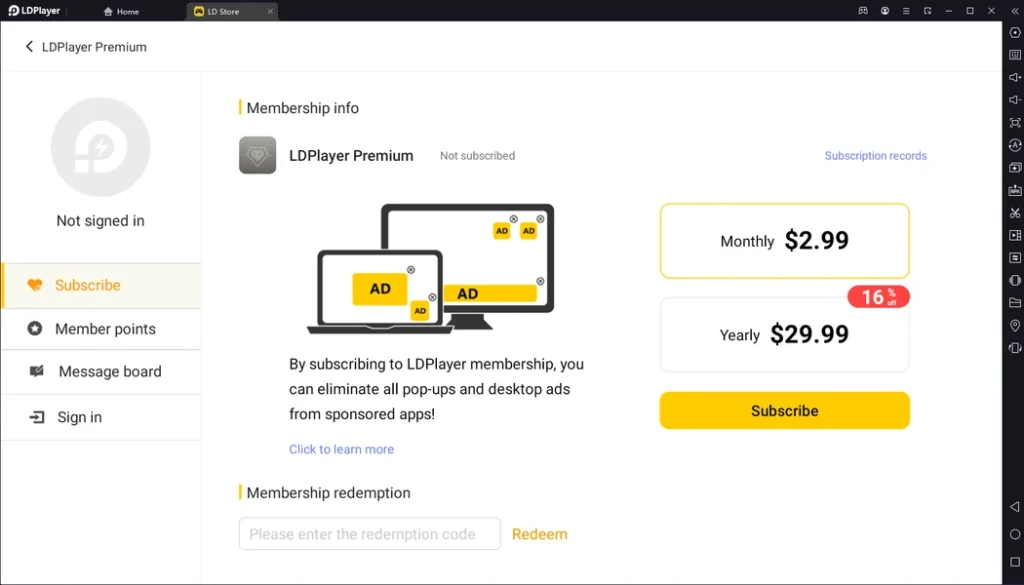
- Ads present in some versions
- Free versions may contain promo content
- Occasional compatibility issues
- Hyper-V conflicts on some systems
Conclusion:
LDPlayer 9.5.15.1 for Windows is a powerful and feature-rich Android emulator designed primarily for gaming and running advanced Android applications on desktop computers. Thanks to its advanced performance optimization, keyboard configuration, multi-instance support, macro automation, GPU acceleration, and optimal gameplay at high frame rates, this emulator remains one of the most powerful Android virtualization solutions for Windows.





Leave a Reply