
Notepad++ 8.9.6 For Windows Download

Notepad++ 8.9.6 for Windows is one of the most widely used free source code editors available today. Developed specifically for Windows systems, Notepad++ combines lightweight performance with powerful programming and text editing features, making it the preferred tool for developers and power users worldwide.
The software supports:
- Multiple programming languages
- Extensions
- Tabbed editing
- Macro recording
- Advanced search tools
Whether you’re a beginner programmer, a professional developer, a web designer, a system administrator, or a technical writer, Notepad++ 8.9.6 offers a highly efficient and customizable editing environment for Windows systems.
Key Features of Notepad++ 8.9.6 For Windows:
Lightweight and Fast
One of Notepad++’s main strengths is its lightweight architecture.
The application starts up quickly and consumes minimal system resources compared to many modern code editors.
Advantages:
- Fast startup
- Low RAM usage
- Smooth editing
- Efficient handling of large files
Multilingual syntax highlighting
Notepad++ supports syntax highlighting for many programming and scripting languages.
Supported languages:
- Python
- JavaScript
- HTML
- CSS
- PHP
- Java
Tabbed interface
The software offers a tabbed interface for managing multiple files simultaneously.
Users can:
- Open multiple documents at once
- Quickly switch between tabs
- Reorder tabs
- Pin important files
- Split-screen editing
Plugin Support
Notepad++ includes a wide ecosystem of plugins that significantly extend its functionality.
Plugin Categories:
- FTP Tools
- Code Comparison
- Autocomplete
- Markdown Support
- JSON Formatting
- Spell Check
- Session Management
Advanced Search and Replace
The editor includes a powerful search function.
Features:
- Search across multiple files
- Regular expression support
- Batch replacement
- Incremental search
- Search within files
Macro Recording and Automation
Notepad++ supports macro recording for repetitive tasks.
Users can:
- Record editing actions
- Replay workflows
- Automate formatting
- Speed up repetitive coding tasks
Code Folding
Code folding allows you to collapse sections of code for easier navigation.
This is especially useful for:
- Long scripts
- Configuration files
- Long functions
- Complex code structures
Split-Screen Editing
The editor supports split-screen editing.
Users can:
- Compare files side-by-side
- View different sections of the same document
- Edit multiple files simultaneously
Custom Themes and Dark Mode
Notepad++ offers customizable interface themes.
Users can choose:
- Dark themes
- Light themes
- Custom syntax colors
- Custom fonts
What’s New in Notepad++ 8.9.6?
Improved Stability and Bug Fixes
Version 8.9.6 includes several stability improvements and bug fixes designed to optimize overall reliability.
Recent release notes for the 8.9 series mention improvements to:
- Search tools
- Tab management
- Read-only modes
- The Swimmer user interface
- File operations
These improvements contribute to a smooth editing workflow.
Enhanced Security
Recent versions of Notepad++ incorporate more robust update verification systems in response to infrastructure security issues reported in 2025.
Security improvements include:
- Improved installer verification
- Strengthened certificate validation
- More secure update management
Users are advised to keep the application up to date for optimal security.
Improved Windows 11 Compatibility
Notepad++ 8.9.6 improves compatibility with:
- Windows 11
- High-resolution (DPI) displays
- User interface adaptation
- Multi-monitor setups
These improvements optimize usability on modern systems.
Enhanced Read-Only Modes
Recent versions include advanced read-only features.
The release notes mention:
- Fully equipped read-only modes
- Improved save protection
- Streamlined document management
These improvements enhance workflow security when editing sensitive files.
Performance Optimizations
Version 8.9.6 continues to optimize:
- Startup speed
- Memory usage
- File loading
- Responsiveness with large documents
These optimizations help maintain Notepad++’s reputation as a lightweight editor.
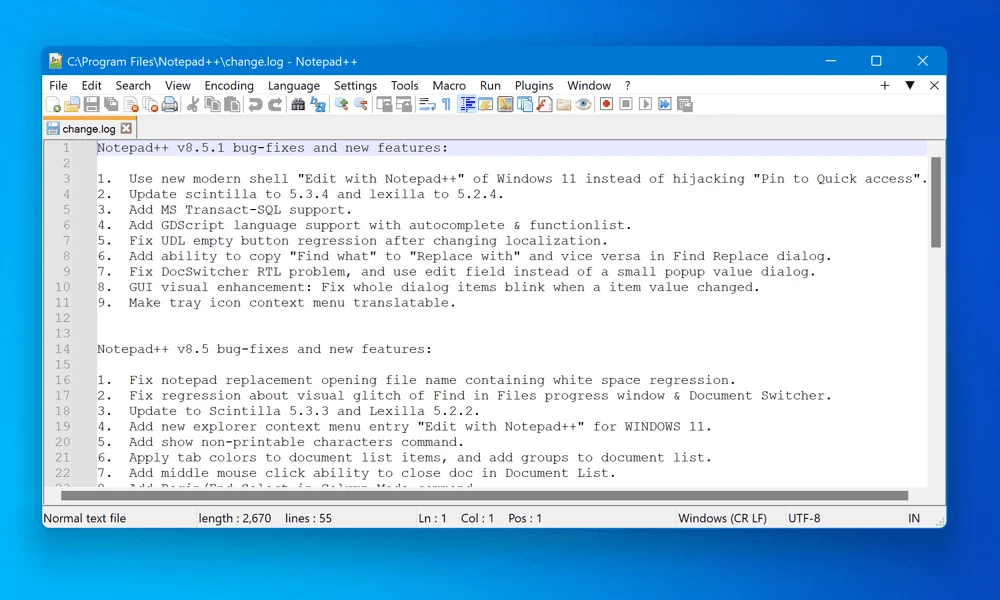
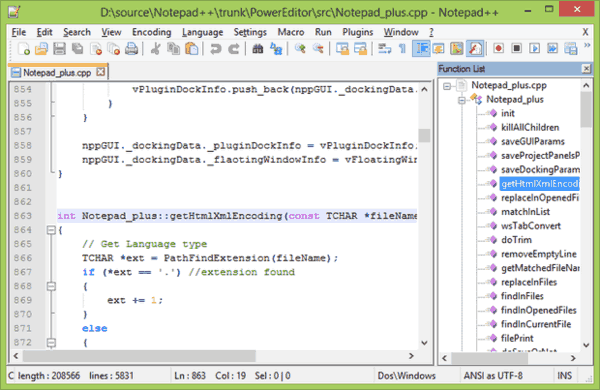
Screenshots:
System Requirements:
Minimum System Requirements
To use Notepad++ 8.9.6 optimally on Windows, the minimum system requirements are as follows:
- Operating System: Windows 10, Windows 11
- Processor: Intel or AMD processor
- RAM: 2 GB minimum
- Disk Space: Approximately 50 MB free space
- Display: Standard screen resolution
Notepad++ is compatible with modern Windows operating systems, including Windows 10 and Windows 11.
Recommended Configuration
For smoother multitasking and managing large projects, the following configuration is recommended:
- Operating System: Windows 10 or Windows 11
- Processor: Intel Core i5 or AMD Ryzen processor
- RAM: 4 GB or more
- Disk Space: SSD recommended
- Screen: Full HD resolution
Meeting the recommended configuration Improves responsiveness when working with large files and multiple plugins.
Advantages and Disadvantages of Notepad++ 8.9.6:
Advantages
- Extremely lightweight
- Excellent multilingual support
- Powerful plugin ecosystem
- Free and open source
- Advanced search functions
- Portable version available
- Intuitive interface for beginners
- Easy to learn and powerful.
Disadvantages:
- Windows only
- No official version for Linux or macOS.
- Traditional-looking interface
- Limited built-in collaboration features
- Lack of advanced cloud collaboration systems
- Varying plugin compatibility
Conclusion:
Notepad++ 8.9.6 for Windows is a powerful, lightweight, and extremely reliable source code editor designed for developers, programmers, technical users, and general text editing workflows. With multilingual syntax highlighting, advanced search tools, plugin support, macro automation, split-screen editing, customizable themes, and outstanding performance, Notepad++ remains one of the most trusted text editors in the software development world.





Leave a Reply