
Office Tool Plus 11.3.12.0 For Windows Download

Office Tool Plus 11.3.12.0 for Windows is a powerful Office management utility designed to simplify the installation, deployment, customization, activation, and maintenance of Microsoft Office products. This software offers a modern interface that allows users to download, configure, install, and manage different versions of Office directly from Microsoft’s official deployment system, while also providing advanced administrative features.
The application is compatible with several editions of Microsoft Office, including:
- Microsoft 365
- Office 2016
- Office 2019
- Office 2021
Office Tool Plus is particularly popular with:
- IT administrators
- Experienced Windows users
- Office deployment technicians
- Businesses
- Educational institutions
- Professionals
One of Office Tool Plus’s key strengths is its ability to provide complete control over the components of the Office installation. Users can select specific Office applications, configure update channels, install language packs, manage deployment XML files, and customize installation behavior to suit their needs.
Unlike traditional Office installers, Office Tool Plus prioritizes flexibility and advanced deployment management. This software integrates with the Microsoft Office Deployment Tool, simplifying complex configuration tasks with an intuitive graphical interface.
Key Features of Office Tool Plus 11.3.12.0:
Advanced Office Installation Management
Office Tool Plus provides complete control over Microsoft Office installations.
Users can:
- Install Office products
- Remove Office components
- Reinstall Office applications
- Modify existing installations
- Customize installation settings
Multiple Office Version Support
Office Tool Plus supports a wide range of Microsoft Office editions.
Compatible Products:
- Microsoft 365 Apps
- Office 2016
- Office 2019
- Office 2021
- Office LTSC
Custom Installation Settings
One of the most notable features of Office Tool Plus is its advanced customization options.
Users can choose:
- Individual Office applications
- The installation architecture (32-bit or 64-bit)
- Language packs
- Update channels
Integration with the Office Deployment Tool
Office Tool Plus integrates directly with Microsoft’s Office Deployment Tool (ODT).
This integration allows users to:
- Download Office packages
- Create deployment configurations
- Manage XML deployment files
- Automate installations
The graphical interface simplifies processes that would normally require manual command-line operations.
Download Office installation files
The software can download official Office installation files directly from Microsoft servers.
Users can:
- Download offline installers
- Store deployment packages locally
- Create custom Office installation libraries
- Prepare deployment media
This feature is very useful for organizations deploying Office across multiple systems.
Update Channel Management
Office Tool Plus allows users to easily manage Office update channels.
Supported update channels include:
- Current Channel
- Monthly Enterprise Channel
- Semi-Annual Enterprise Channel
- Beta Channel
- LTSC Update Channels
Users can switch channels without completely reinstalling Office.
Office Activation Management
The application includes tools to:
- View activation status
- Manage product keys
- View license information
- Manage activation settings
What’s New in Office Tool Plus 11.3.12.0?
Improved Microsoft 365 Compatibility
Version 11.3.12.0 improves compatibility with the latest Microsoft 365 deployment systems and update channels.
These changes improve:
- Installation reliability
- Update management
- Deployment consistency
- Download stability
- Recent updates improve:
- Download speed
- Recovery functionality
- Network reliability
- Package verification
These improvements streamline large-scale Office deployment workflows.
Improved Windows 11 Compatibility
Office Tool Plus 11.3.12.0 offers improved compatibility with:
- Windows 11
- New Office deployment APIs
- Updated Microsoft service systems
This ensures greater compatibility with modern systems.
User Interface Improvements
This latest version improves:
- Navigation responsiveness
- Theme consistency
- Configuration modification
- Deployment visibility
These improvements optimize overall usability.
Improved XML Configuration Management
Recent updates include improvements to:
- XML generation
- Deployment configuration validation
- Import/export management
This helps reduce deployment configuration errors.
Stability Improvements and Bug Fixes
Version 11.3.12.0 also fixes:
- Installation failures
- Issues with displaying activation status
- Deployment conflicts
- Update synchronization issues
- These fixes improve long-term reliability.
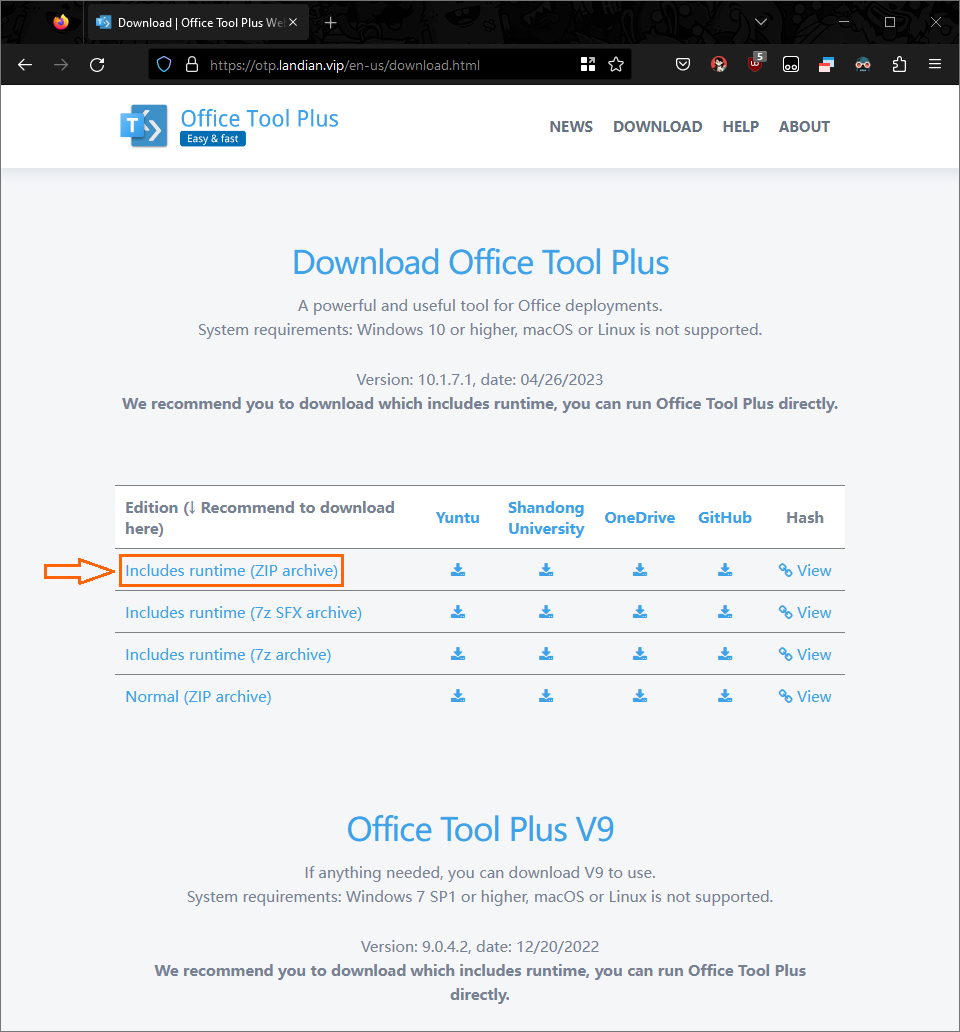
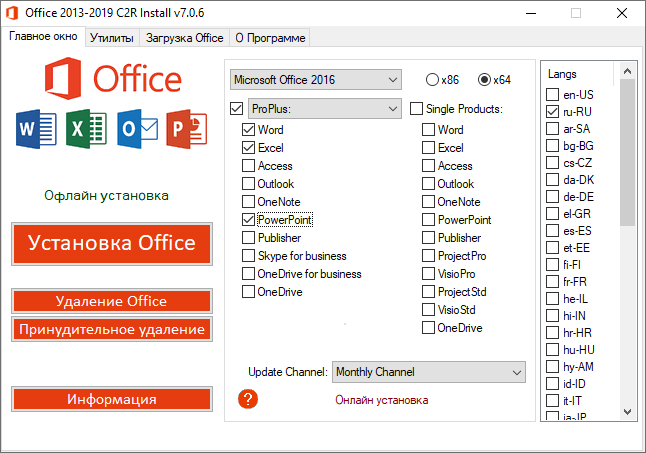
Screenshots:
System Requirements:
Minimum System Requirements
For Office Tool Plus 11.3.12.0 to function optimally, your system generally requires the following:
- Operating System: Windows 7 SP1 or later
- Processor: 1 GHz processor or higher
- RAM: 2 GB or higher
- Disk Space: Approximately 200 MB of free space
- Additional Requirements: Internet connection required to download Office
Recommended Configuration
For smoother deployment and optimal performance, the following configuration is recommended:
- Operating System: Windows 10 or Windows 11
- Processor: Multi-core processor
- RAM: 4 GB or more
- Disk Space: SSD recommended
- Internet Connection: Broadband internet connection
The recommended configuration improves:
- Download performance
- Deployment speed
- Update management
Management of large Office packages
Advantages and Disadvantages of Office Tool Plus 11.3.12.0
Advantages:
Compatible with multiple versions of Office
- Compatible with Microsoft 365 and earlier versions of Office
Official Microsoft integration
- Uses the Microsoft deployment infrastructure
Supports offline installation
- Allows creation of local Office deployment packages
Language pack management
- Excellent support for multilingual deployment
Lightweight utility
- Fast and efficient performance
Modern user interface
- Easy navigation despite advanced features
Disadvantages:
Learning curve for beginners
- Advanced deployment settings can be confusing for novice users
Internet connection required for downloads
- Internet access required to obtain Office packages
Some features are intended for advanced users
- Professional deployment tools may seem unnecessary for casual users.
Complex configuration options
- The large number of settings can be confusing at first.
Conclusion:
Office Tool Plus 11.3.12.0 for Windows is a powerful Office deployment and management utility designed for users who require advanced control over their Microsoft Office installations. Compatible with Microsoft 365, Office 2021, Office LTSC, update channel management, XML deployment configuration, offline installer creation, and language pack customization, this software offers an optimal solution for professional Office management.





Leave a Reply