
HandBrake 1.11.2 For Windows Download

HandBrake 1.11.2 for Windows is one of the most popular open-source video transcoding applications on the market. Originally designed as a DVD ripping and conversion utility, HandBrake has evolved into a powerful cross-platform video encoder capable of converting videos between different formats, reducing file sizes, optimizing media for live streaming, and taking advantage of modern codecs such as H.264, H.265/HEVC, and AV1. It is compatible with Windows, macOS, and Linux, and remains completely free and open source.
This software is widely used by:
- Video enthusiasts
- Content creators
- YouTubers
- Media collectors
- IT professionals
- Educational institutions
- Streamers
Version 1.11.2 is a maintenance update focused on improving stability, fixing bugs, updating encoding libraries, and optimizing performance for Windows users.Video file sizes are constantly increasing due to the rise in recording resolutions, from Full HD to 4K and even 8K. Whether you’re archiving media, preparing videos for mobile devices, uploading files, or converting recordings to modern codecs, a reliable video transcoder is essential.
Key features of HandBrake 1.11.2 For Windows:
High-performance video transcoding
HandBrake converts videos from one format to another, allowing users to optimize quality, size, and compatibility.
Supported output formats:
- MP4
- MKV
- WebM
- MOV
Users can customize virtually every aspect of the encoding process.
Support for modern codecs
HandBrake supports a wide range of modern video codecs.
Supported Encoders:
- H.264 (AVC)
- H.265 (HEVC)
- MPEG-4
- VP9
- AV1
The software also supports hardware acceleration when compatible hardware is available.
AV1 Encoding Support
One of HandBrake’s most powerful features is its AV1 support.
Advantages:
- More efficient compression
- Smaller file sizes
- Improved streaming performance
- Scalable encoding workflows
The software uses updated SVT-AV1 libraries for software AV1 encoding.
Hardware Acceleration
HandBrake can leverage the following hardware encoding technologies:
- NVIDIA NVENC
- Intel Quick Sync Video (QSV)
- AMD VCN
Hardware acceleration significantly reduces encoding times compared to CPU-only encoding.
Preset System
The application includes numerous presets optimized for:
- Mobile Devices
- Tablets
- Streaming Platforms
- 1080p Video
- 4K Video
- General Encoding
Presets simplify encoding for beginners while allowing for customization for advanced users.
Batch Encoding Queue
Users can queue multiple videos for automatic processing.
Benefits:
- Nightly Encoding
- Large Library Conversion
- Workflow Automation
- Reduced Manual Intervention
This feature is especially useful for content creators and media archivists.
Subtitle Support
HandBrake supports multiple subtitle workflows.
Features:
- Embedded Subtitles
- Framed Subtitles
- VobSub Subtitles
- Chapter Markers
This helps preserve subtitles during conversion.
Audio Conversion and Optimization
Audio Options:
- AAC
- AC3
- MP3
- Opus
- FLAC
Users can customize the bitrate, channels, mix settings, and streaming behavior.
Free and Open Source Software
Unlike many commercial transcoding applications, HandBrake is completely free and open source.
Advantages:
- No subscription required
- Active community development
- Transparency
- Cross-platform compatibility
This is one of the reasons why HandBrake remains one of the most highly recommended video conversion tools.
New Features in Version 1.11.2?
Bug Fix for Two-Pass x265 Encoding
Version 1.11.2 fixes a bug that could occur during two-pass lossless x265 encoding. This improves reliability for users creating high-quality HEVC encodings.
Memory Leak Fix for Two-Pass Encodings
This version fixes a memory leak affecting two-pass encodings using:
- MPEG-4
- MPEG-2
- VP9
- FFV1
- FFmpeg Library Updates
HandBrake 1.11.2 updates FFmpeg to version 8.0.2 for decoding and filtering operations, improving compatibility and stability.
SVT-AV1 Encoder Update
The AV1 encoding library has been updated to version SVT-AV1 4.1.0, improving AV1 encoding workflows.
Windows-Specific Improvements
Windows users benefit from the following improvements:
- Improved handling of unsupported presets
- Improved queue behavior when disk space is low
- Fixed automatic naming of audio tracks
- Fixed HDR summary descriptions
These changes improve overall usability and stability.
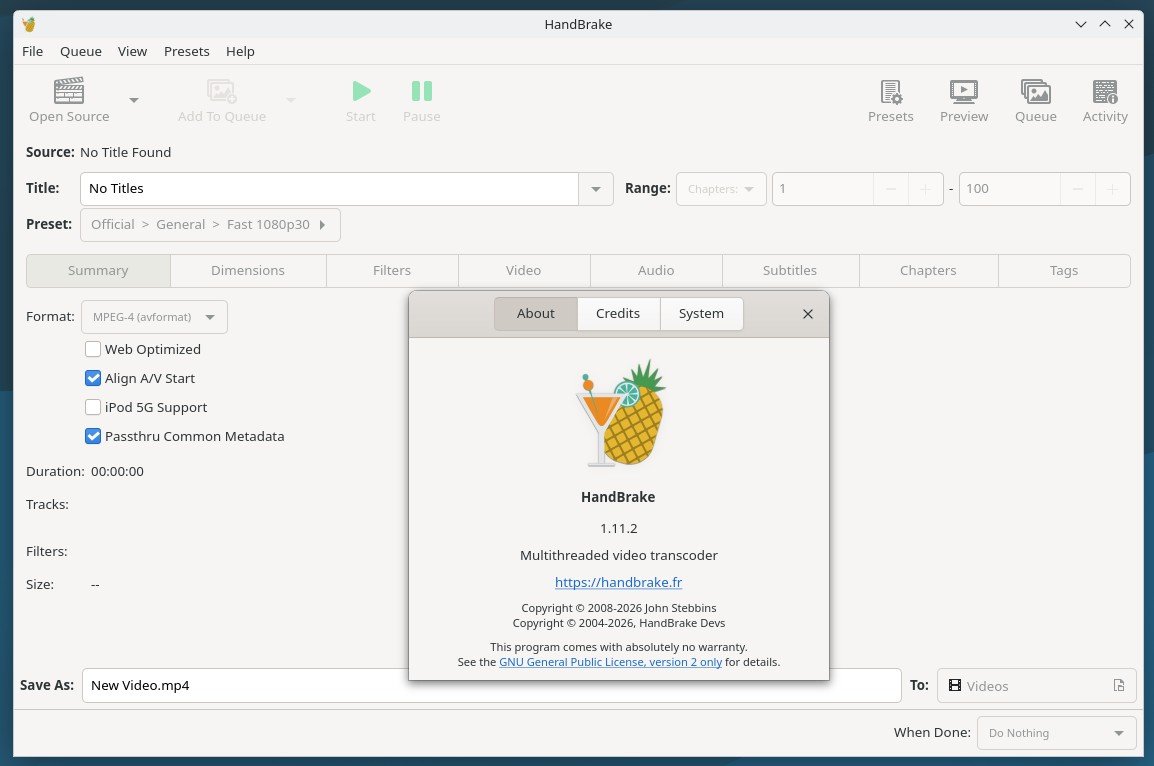
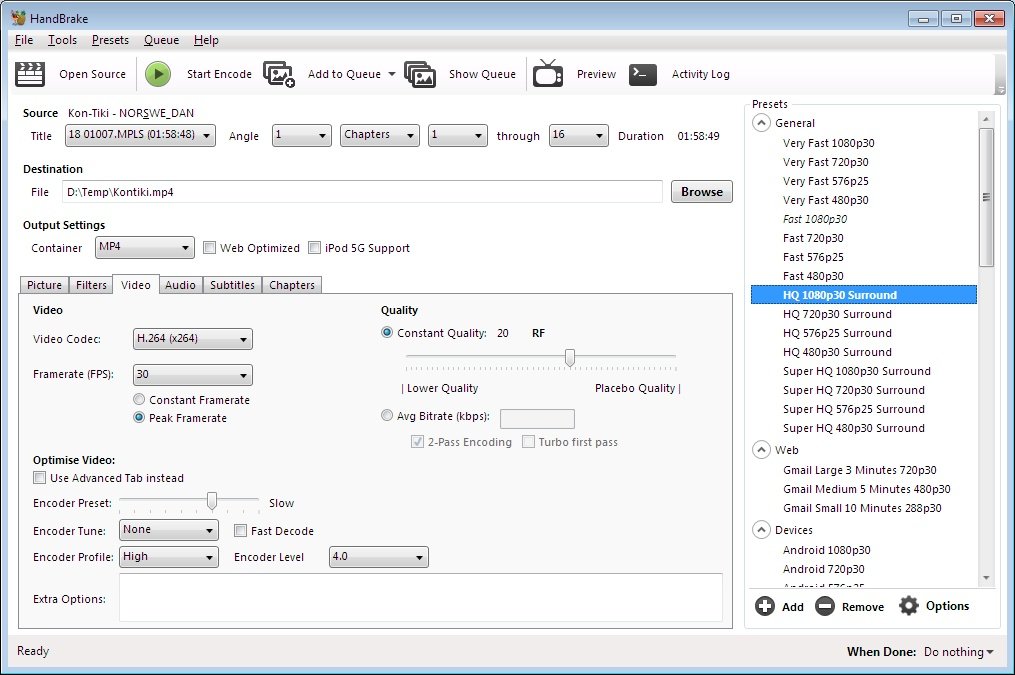
Screenshots:
System Requirements:
Minimum System Requirements:
- Operating System Windows 10, Windows 11
- Processor: Recent x64-based processor
- RAM: 4 GB RAM
- Disk Space: Approximately 150 MB free space
- Additional System Requirements: Microsoft .NET Desktop Runtime 10.0
Recent versions of HandBrake require .NET Desktop Runtime 10.0 on Windows systems.
Recommended System Requirements
- Processor: Intel or AMD multi-core processor
- RAM: 8 GB or more
- Graphics Card: NVIDIA, Intel, or AMD compatible GPU for hardware encoding
- Storage: SSD recommended
These specifications offer significantly higher encoding performance.
Advantages and Disadvantages:
Advantages:
Excellent codec support
- Compatible with H.264, H.265, AV1, VP9, and more.
Powerful hardware acceleration
- Significantly reduces encoding times with compatible GPUs.
Robust preset system
- Ideal for beginners and powerful enough for advanced users.
Cross-platform availability
- Available on Windows, macOS, and Linux.
Frequent updates
- Active maintenance with bug fixes and regular codec updates.
Disadvantages:
Learning curve
- Advanced encoding settings can be intimidating for beginners.
Encoding can be slow.
- High-quality software encoding, especially AV1, can require significant processing time.
Feature-focused interface
- The user interface is convenient, but less polished than those of some commercial competitors.
Advantages and disadvantages of hardware encoding
- Hardware encoders are faster, but they don’t always achieve the same compression efficiency as slower software encoders.
Conclusion:
HandBrake 1.11.2 for Windows remains one of the best free video transcoding solutions. Its combination of powerful encoding tools, support for modern codecs like AV1 and HEVC, hardware acceleration, batch processing, and active open-source development makes it an excellent choice for both casual and professional users.





Leave a Reply