
Diffchecker 7.1.0 For Windows Download

Diffchecker 7.1.0 for Windows is a file comparison and diff analysis application designed to compare text, code, documents, images, PDFs, spreadsheets, and folders. Unlike traditional text comparison utilities, Diffchecker offers a modern interface with advanced comparison algorithms, merging tools, syntax highlighting, PDF export, and offline processing that preserves the confidentiality of files on the user’s computer.
This software is commonly used for:
- Source code comparison
- Document version tracking
- Contract review
- PDF comparison
- Spreadsheet comparison
- Folder synchronization analysis
- Image comparison
- Change auditing
- Configuration file review
One of the main advantages of Diffchecker Desktop is its offline functionality. Files are processed locally on the computer, without being transferred to remote servers, making it ideal for confidential business and legal workflows.
Key Features of Diffchecker 7.1.0:
Advanced Text Comparison
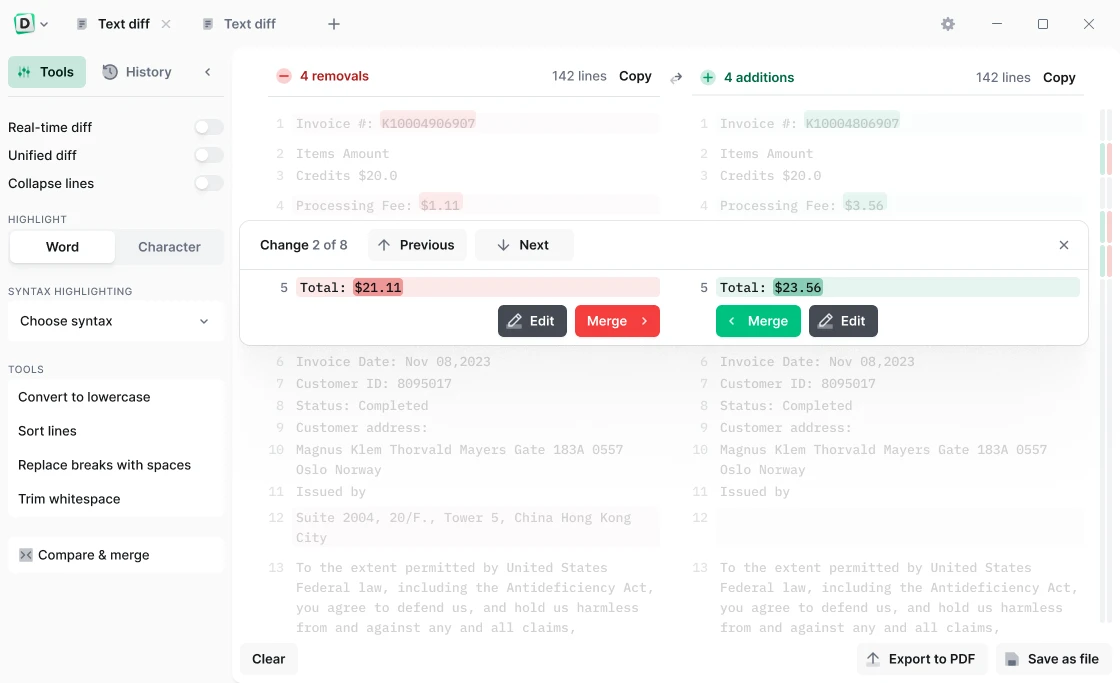
Diffchecker excels at identifying differences between text documents with high accuracy.
Features:
- Line-by-line comparison
- Word-level differences
- Character-level differences
- Side-by-side display
- Unified difference views
These features allow users to quickly identify even the smallest changes.
Code Comparison with Syntax Highlighting
Developers can compare source code from numerous programming languages.
Benefits:
- Syntax highlighting
- Clearer code reviews
- Simplified debugging
- Change tracking
- Version verification
Supports many popular languages, including JavaScript, Python, C++, Markdown, and others.
PDF Comparison
Diffchecker can compare PDF documents using content extraction and visual analysis techniques.
Use Cases:
- Contract Reviews
- Policy Updates
- Technical Documentation Reviews
- Legal Document Analysis
This feature helps users identify changes that would otherwise be difficult to detect manually.
Image Comparison
The software includes image comparison tools that allow users to visually analyze the differences between graphics and photographs.
Features:
- Overlay Comparison
- Fade Transitions
- Pixel-Level Inspection
- Graphic Change Review
This feature is invaluable for designers, photographers, and marketing teams.
Spreadsheet Comparison
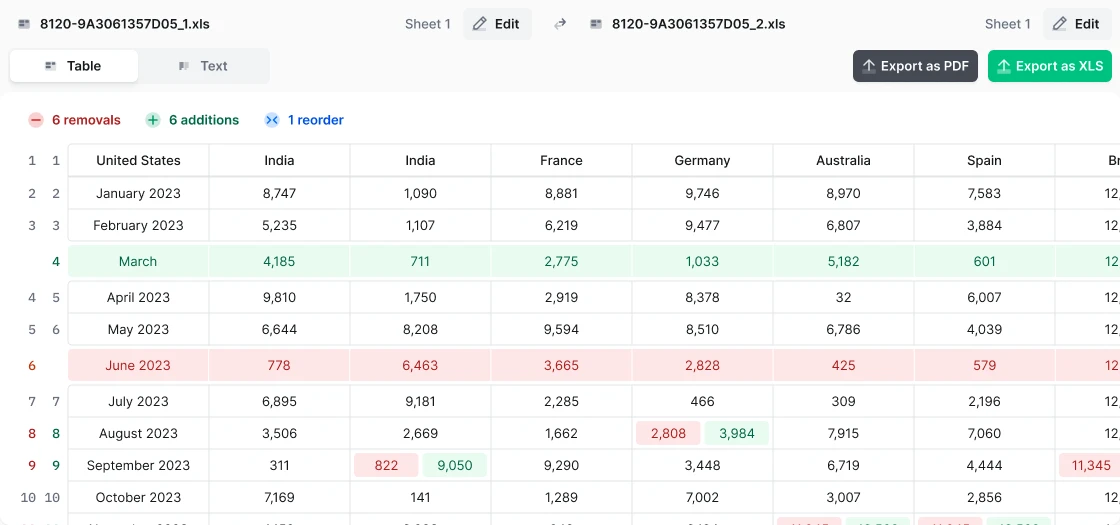
Diffchecker allows you to compare spreadsheets to identify changes in the data.
Users can:
- Compare spreadsheets
- Examine differences at the cell level
- Verify changes
- Validate reports
This saves a lot of time when analyzing large datasets.
Folder Comparison
The desktop version includes folder comparison tools.
Users can:
- Verify folder contents
- Identify missing files
- Detect modified files
- Compare directory structures
This feature is particularly useful for validating backups and synchronizing projects.
Merging functionality
In addition to identifying differences, Diffchecker allows users to merge changes between files.
Benefits:
- Faster document reconciliation
- Simplified version control
- Improved collaboration
- Fewer manual edits
The merging feature is frequently cited as one of the platform’s key strengths.
Real-time editing
The built-in editor allows you to modify content while viewing differences.
Benefits:
- Immediate feedback
- Faster corrections
- Fewer workflow interruptions
- Increased productivity
- Changes are recalculated in real time.
What’s New in Version 7.1.0?
Continuous Desktop Platform Improvements
The 7.x generation continues to enhance Diffchecker Desktop’s capabilities for file comparison and merging, as well as for enterprise workflows. The latest releases focus on improved usability, optimized performance, and advanced comparison tools.
Enhanced Comparison Workflows
Current releases offer:
- Faster difference generation
- Improved merge operations
- Streamlined document management
- More efficient handling of large files
These enhancements increase productivity when handling complex documents.
AI-Powered Features
Modern Diffchecker subscriptions include AI-powered features to summarize differences and help users more quickly understand document changes.
Enhancements for Businesses
The latest versions continue to enhance features for organizations, including security-focused workflows, desktop deployment, and enterprise integration options.
Screenshots:
System Requirements:
Minimum System Requirements
- Operating System: Windows 10,Windows 11
- Processor: Recent Intel or AMD processor
- RAM: Minimum 4 GB RAM
- Disk Space: Approximately 150 MB of free space for installation
- Internet Connection: Required for licensing and updates
Diffchecker Desktop is officially available for Windows 10 and Windows 11.
Recommended System Requirements
- Operating System: Windows 11
- Processor: Multi-core processor
- RAM: 8 GB or more
- Disk Space: SSD recommended
These specifications improve performance when comparing large files and folders.
Advantages and Disadvantages:
Advantages:
- Excellent offline privacy
- Compatible with various file types
- Powerful merge functionality
- Modern user interface
- Easy to learn and visually appealing.
- Syntax highlighting for developers
- PDF export support
- Convenient for documentation and audits.
Disadvantages:
- Premium features require a subscription.
- Some advanced users prefer open-source alternatives.
- Resource consumption may increase with large files.
- Enterprise-oriented features may be unnecessary for casual users.
Conclusion:
Diffchecker 7.1.0 for Windows is a versatile file comparison solution that goes far beyond traditional text comparison tools. Supporting text, code, PDFs, spreadsheets, images, folders, merge operations, real-time editing, and offline processing, it offers a comprehensive platform for reviewing and managing changes across a wide variety of file types.





Leave a Reply