
Google Antigravity 2.0.1 For Windows Download

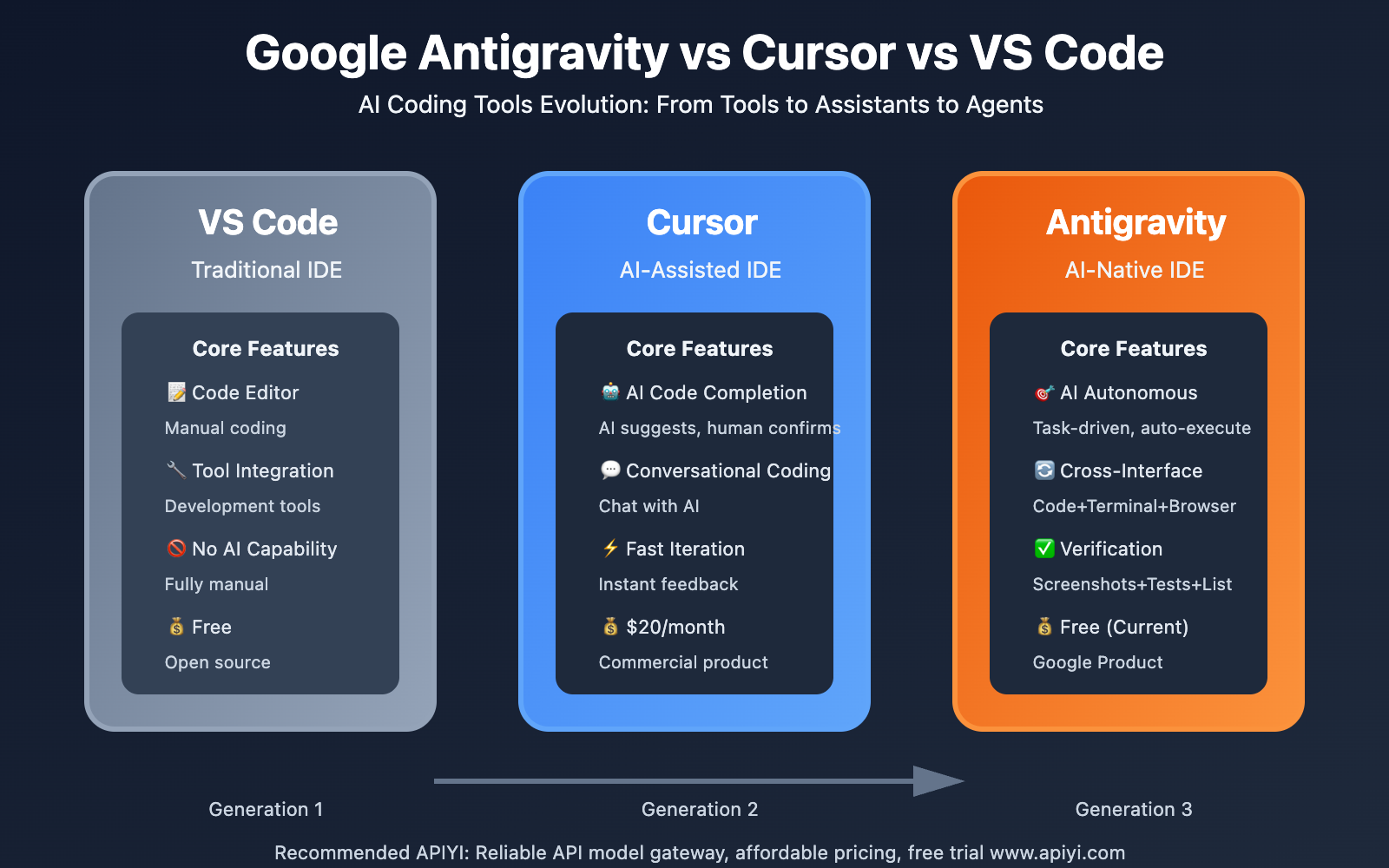
Google Antigravity 2.0.1 for Windows is a next-generation, AI-powered development platform designed for agent-based programming workflows. Unlike traditional IDEs that prioritize manual programming, Antigravity introduces a system where autonomous AI agents assist developers with programming, automation, debugging, testing, research, and workflow management.
The platform is designed to help developers:
- Develop applications faster
- Automate repetitive tasks
- Coordinate multiple AI agents
- Manage development projects
According to the official documentation, Antigravity 2.0 is a standalone desktop application dedicated to orchestrating AI agents for software development and advanced intelligence tasks.
The software includes:
- Agent management tools
- AI-assisted programming
- Terminal workflow
- SDK integration
- Multi-project management
Unlike traditional IDEs, Antigravity 2.0 prioritizes AI-powered, autonomous, and collaborative workflows over purely manual development environments. Whether you’re a professional developer, DevOps engineer, startup team member, researcher, or hobbyist programmer, Google Antigravity 2.0.1 offers a modern development environment for Windows.
In this detailed review, we’ll explore the key features, latest updates, system requirements, pros and cons, community feedback, performance, and overall user experience of Google Antigravity 2.0.1 for Windows.
Key Features of Google Antigravity 2.0.1 For Windows:
Agent-Centric Development Environment
One of the most important aspects of Antigravity 2.0.1 is its agent-centric design.
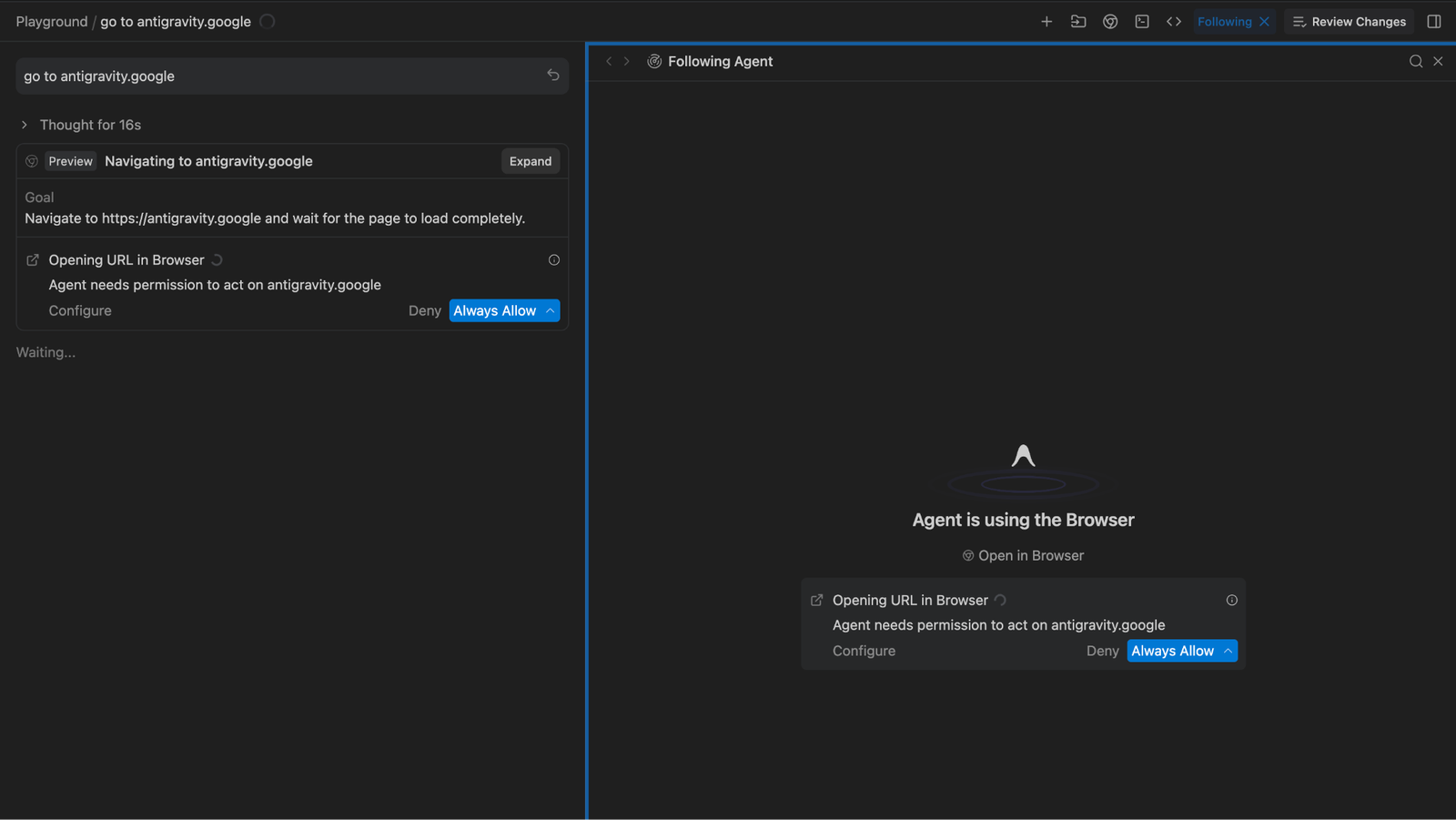
Instead of functioning solely as a traditional IDE, the platform allows users to orchestrate autonomous AI agents capable of:
- Writing code
- Executing commands
- Performing web searches
- Managing projects
- Performing background tasks
- Managing complex workflows
The official documentation describes Antigravity 2.0.1 as a “central command center” for AI agents.
This radically changes how developers interact with programming tools.
Multi-Agent Orchestration
Antigravity 2.0 allows multiple AI agents to operate simultaneously across different projects.
Features:
- Parallel Workflows
- Independent Project Management
- Multitasking
- Agent Coordination
- Background Processing
According to official information, users can orchestrate multiple autonomous agents working in parallel on independent projects.
This significantly improves workflow scalability.
Antigravity Command Line Interface (CLI) Integration
The software includes a dedicated command-line interface for terminal-based workflows.
The CLI supports:
- Autonomous Coding Agents
- Shell Command Execution
- Background Sub-agents
- Source Code Interaction
- Automated Workflows
Official product descriptions present the CLI as a lightweight and fast interface for agent-based development.
This feature is especially appreciated by experienced developers and DevOps users.
AI Coding Assistance
Antigravity uses advanced AI models to assist developers during their coding workflows.
Features:
- Code Generation
- Bug Fixing
- Workflow Suggestions
- Task Automation
- Search Assistance
- Refactoring Support
This software aims to reduce repetitive manual coding tasks and accelerate development.
Project and Workspace Management
Projects are the foundation of Antigravity’s workflow structure.
Users can:
- Organize repositories
- Group conversations
- Manage multiple folders
- Configure workspace permissions
- Manage isolated development environments
The official documentation explains that projects define the folders and repositories accessible to AI agents.
This improves organization and security.
Scheduled Tasks and Automation
Antigravity 2.0 integrates scheduled automation features.
Users can:
- Schedule recurring tasks
- Automate workflows
- Run operations in the background
- Configure cron jobs
The platform can automatically run predefined workflows without user intervention.
What’s New in Google Antigravity 2.0.1?
Dedicated Desktop Application
The new version functions as a standalone desktop application, not as an IDE extension.
Enhancements:
- Workflow Separation
- Performance Improvements
- Agent Management
New Command-Line Interface and Software Development Kit (SDK)
Recent Updates:
- Dedicated CLI Tools
- SDK Support
- Custom Automation Systems
These additions provide greater flexibility for developers and businesses.
Improved Background Agent Management
Version 2.0.1 optimizes:
- Background sub-agents
- Parallel processing
- Task management
- Workflow orchestration
This improves overall responsiveness during complex operations.
Bug fixes and stability improvements
The latest updates include:
- Improved project management
- Optimized startup behavior
- Stability fixes
- Improved migration management
Fixes to project duplication errors and improvements to workspace retrieval are also mentioned in the community forums.
Screenshots:
System Requirements:
Minimum System Requirements
To use Google Antigravity 2.0.1 correctly on Windows, users must meet the following minimum system requirements:
- Operating System: Windows 10 (64-bit), Windows 11
- Processor: Dual-core Intel or AMD processor
- RAM: 4 GB minimum
- Storage: Approximately 500 MB of available disk space
- Internet Connection: An internet connection is required for AI features.
The official documentation confirms compatibility with Windows 10 64-bit systems.
System Requirements
For smoother AI-powered workflows, the following configuration is recommended:
- Operating System: Windows 11
- Processor: Intel Core i5/i7 or AMD Ryzen
- RAM: 8 GB or more
- Storage: SSD recommended
- Graphics Card: Dedicated GPU (optional for advanced workflows)
Adhering to the recommended configuration improves responsiveness during multi-agent operations.
Advantages and Disadvantages of Google Antigravity 2.0.1:
Advantages
- Innovative agent-based workflow
- Multi-agent orchestration
- Enables efficient parallel task execution.
- Integrated command-line interface
- Powerful automation features
- Scheduled workflows improve productivity.
- Enables custom automations and integrations.
Disadvantages:
- Steep Learning Curve
- Heavy Dependence on AI Systems
- Stability Issues in Recent Releases
- Traditional developers may prefer classic IDEs.
Conclusion:
Google Antigravity 2.0.1 for Windows is an ambitious AI-powered development platform focused on autonomous agents, workflow orchestration, automation, and a next-generation coding experience. With multi-agent coordination, command-line interface (CLI) integration, SDK support, project management tools, scheduled automation, and AI-assisted coding workflows, this platform represents a radical shift from traditional IDE-based development.





Leave a Reply