
Wise Care 365 Pro 8.0.1.730 For Windows

WiseCare 365 Pro 8.0.1.730 for Windows is a comprehensive PC optimization and maintenance suite designed to clean junk files, optimize performance, protect privacy, and improve system responsiveness.
Developed by WiseCleaner, this software combines:
- System cleaning tools
- Registry optimization
- Privacy protection
- Startup management
- Disk defragmentation
- Performance optimization
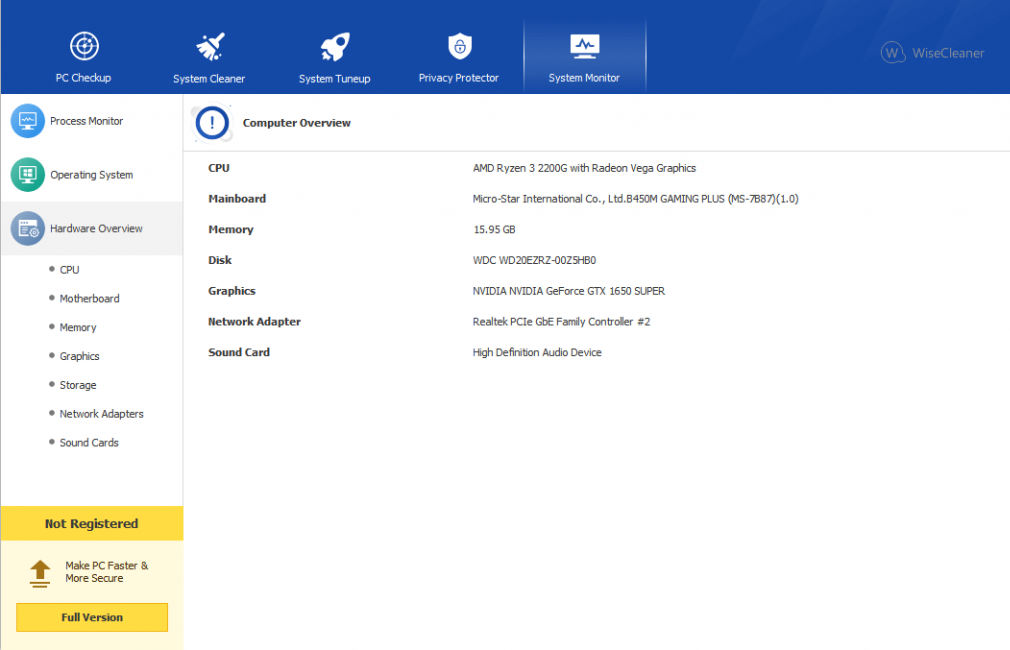
- Real-time monitoring
- System utilities
Unlike basic cleaning utilities, WiseCare 365 Pro offers a more complete maintenance platform focused on improving overall system efficiency, while remaining lightweight and easy to use.
Whether you’re a casual user, gamer, office worker, student, or professional, WiseCare 365 Pro 8.0.1.730 provides a comprehensive suite of tools for Windows PC maintenance.
In this detailed review, we’ll explore the key features, latest updates, system requirements, pros and cons, community reviews, performance, and overall user experience of WiseCare 365 Pro 8.0.1.730 for Windows.
Key Features of WiseCare 365 Pro 8.0.1.730 For Windows:
One-Click PC Scanning
One of the software’s most popular features is its one-click PC scanning system.
According to the official WiseCleaner website, WiseCare 365 includes a comprehensive PC analysis module that scans for:
- Junk files
- Invalid registry entries
- Privacy traces
- Startup issues
Registry Cleaning and Optimization
WiseCare 365 Pro includes a powerful registry cleaning system.
The registry cleaner can:
- Remove invalid entries
- Fix broken references
- Remove obsolete paths
- Clean up software remnants
- Back up and restore registry changes
System Cleanup
The software includes several cleaning utilities, such as:
- Routine Cleanup
- Advanced Cleanup
- System Optimization
- Temporary File Cleanup
Browser Cache Removal
According to WiseCleaner, the software can remove:
- Windows Temporary Files
- Browser Cache
- Download History
- Cookies
- Broken Shortcuts
- Unnecessary Application Files
Privacy Protection Features
WiseCare 365 Pro includes privacy-focused tools designed to remove browsing traces and protect user data.
Features:
- Personal Data Removal
- File Removal
- Disk Wiping
- Password Generator
- Browser Cleanup
- Tracking Trace Removal
Startup Optimization
Startup optimization is one of the most useful performance tools in WiseCare 365 Pro.
The Startup Manager allows users to:
- Disable unnecessary startup programs
- Reduce startup time
- Optimize startup services
- Improve system responsiveness
This can significantly improve Windows startup performance on older systems.
Disk Defragmentation and Optimization
The software includes:
- Disk Defragmentation
- Registry Defragmentation
- Disk Optimization Tools
What’s New in WiseCare 365 Pro 8.0.1.730 For Windows?
Improved Windows 11 Compatibility
Version 8.0.1.730 improves compatibility with:
- Windows 11
- Modern high-resolution displays
- Multi-monitor setups
- Current Windows security systems
This ensures smoother operation on modern hardware.
Updated User Interface
Recent versions include interface improvements such as:
- Improved scaling management
- Enhanced 4K display support
- Simplified navigation
- Clearer presentations
Test sources indicate improved UI scaling management in the latest versions.
Improved Cleaning Engine
The latest versions improve:
- Junk file detection
- Browser cleaning
- Temporary file analysis
- Registry analysis
These updates help improve the efficiency and accuracy of the cleaning process.
Improved Startup Management
WiseCleaner has been optimized with:
- Startup Optimization
- Startup Process Management
- Background Service Management
These improvements optimize startup performance and system responsiveness.
Stability and Performance Improvements
Version 8.x also includes:
- Bug Fixes
- Reduced CPU Usage
- Improved Cleaning Reliability
- Faster Scanning Speed
These optimizations improve the overall user experience.
System Requirements For Wise Care 365 Pro For Windows:
Minimum System Requirements:
To use WiseCare 365 Pro 8.0.1.730 optimally on Windows, the minimum system requirements are as follows:
- Operating System: Windows 7, Windows 8,Windows 10
- Processor: 1 GHz Pentium or higher
- RAM: 4 GB minimum
- Storage Space: Approximately 70 MB of available disk space
The official technical specifications are available on the WiseCleaner reference page.
System Requirements:
For optimal performance and multitasking, the following configuration is recommended:
- Operating System: Windows 10 or Windows 11
- Processor: Intel Core i3/i5 or equivalent AMD processor
- RAM: 8 GB or more
- Storage: SSD recommended
- Display: Full HD resolution or higher
Meeting the system requirements improves scan speed and overall responsiveness.
Advantages and Disadvantages of Wise Care 365 Pro For Windows:
Advantages:
Intuitive Interface:
The software is easy to use, even for beginners.
Comprehensive Optimization Suite:
Includes cleaning, privacy, and optimization tools in a single suite.
Optimal Performance:
Works efficiently with minimal resource consumption.
Efficient Junk File Removal:
Frees up a significant amount of disk space.
Startup Optimization:
Improves boot time and responsiveness.
Real-time Protection:
The Pro version includes system monitoring and alerts.
Affordable Pricing
Annual and lifetime licenses are offered at competitive prices.
Disadvantages:
Risks Associated with Registry Cleaning
Aggressive registry cleaning can cause problems if used incorrectly.
Some features are redundant with built-in Windows tools.
Recent versions of Windows already include basic cleaning features.
Limited Advanced Security Features
This software is not a substitute for antivirus software.
SSD Optimization Features Could Be Improved
Some users report limited SSD optimization tools.
Conclusion:
WiseCare 365 Pro 8.0.1.730 for Windows is a comprehensive PC optimization suite designed to help users efficiently clean, speed up, and maintain their systems. With its built-in tools for registry cleaning, junk file removal, startup optimization, privacy protection, disk management, and system monitoring, WiseCare 365 Pro offers a complete yet lightweight maintenance solution.





Leave a Reply