
PowerISO 9.4.0 For Windows Download

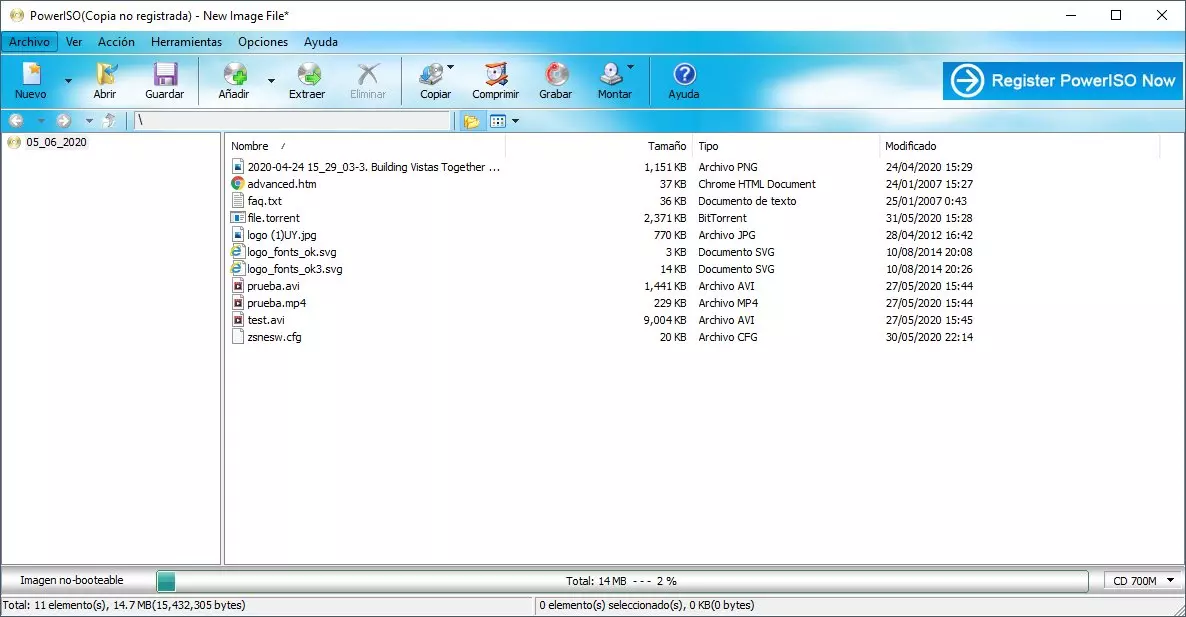
PowerISO 9.4.0 for Windows is a multifunctional disk image processing tool designed to help users create, edit, extract, compress, encrypt, mount, and burn ISO files and other image formats.
This software supports a wide variety of CD, DVD, Blu-ray, virtual disc, and compressed file formats, making it useful for system administrators, IT technicians, retro gaming enthusiasts, developers, and advanced Windows users.
In addition to ISO file management, PowerISO also includes:
- Creating virtual drives
- Generating bootable USB drives
- Compressed file compression
- Extracting audio CDs
- Burning discs
- And image conversion tools
Despite the rise of built-in Windows mounting features, PowerISO remains attractive to users who need more advanced image manipulation capabilities than simple mounting.
In this detailed analysis, we’ll explore the main features, latest updates, system requirements, advantages and disadvantages, community opinions, performance, and overall user experience of PowerISO 9.4.0 for Windows.
Main Features of PowerISO 9.4.0 For Windows:
Creating and Editing ISO Files:
One of PowerISO’s main functions is creating and editing ISO image files.
Users can:
- Create ISO images from files and folders
- Create bootable ISO images
- Edit existing ISO files
- Add or remove files from images
- Rename ISO contents
- Modify the image structure
Compatibility with a wide range of disk image formats:
PowerISO supports a wide variety of image file formats, beyond standard ISO files.
Supported formats:
- ISO
- BIN/CUE
- NRG
- CDI
- MDF/MDS
- IMG
Mounting virtual drives:
PowerISO includes a virtual drive system that allows users to:
- Mount ISO images
- Access files without extracting them
- Emulate optical drives
- Run software directly from mounted images
- The application supports up to 23 virtual drives simultaneously.
Creating bootable USB drives:
Creating bootable USB drives is one of PowerISO’s most frequently used features.
Users can create:
- Windows installation USB drives
- Recovery drives
- Bootable rescue media
- Linux boot disks
- The software supports:
- USB-HDD boot methods
- USB-ZIP
- USB-FDD
Disc burning tools:
PowerISO includes CD, DVD, and Blu-ray burning capabilities.
Users can:
- Burn ISO images
- Create data discs
- Burn audio CDs
- Burn video discs
Erase rewritable media:
Supported media types:
- CD-R/RW
- DVD-R/RW
- DVD+R/RW
- Blu-ray discs
File compression and encryption:
In addition to image management, PowerISO can be used as a file archiving utility.
Features:
- Create ZIP files
- 7Z file support
- Password protection
- File compression
- File splitting
Audio CD Tools:
PowerISO includes audio disc management features such as:
- Audio CD creation
- Audio ripping
- MP3 conversion
- FLAC format support
- WAV extraction
This allows users to:
- Access the latest macOS disk images
- Manage modern Apple storage formats
- Improve DMG file support
What’s New?
Improved Bootable USB Drive Creation:
This latest version improves support for the following file types:
- ZIP
- RAR
- 7Z
Users can now create bootable USB drives directly from compressed files.
This simplifies Windows installation and recovery procedures.
Improved Compatibility with Windows 11:
PowerISO 9.4 improves compatibility with:
- Windows 11
- Modern UEFI systems
- Updated storage drivers
- Latest hardware configurations
These updates help maintain compatibility with modern PCs.
Bug Fixes and Stability Improvements
The latest version also includes:
- Minor bug fixes
- Improved mounting stability
- Optimized file handling
- Improved image compatibility
These improvements help maintain reliable performance for all supported formats.
System Requirements:
Minimum System Requirements:
To run PowerISO 9.4.0 correctly on Windows, users must meet the following minimum system requirements:
- Operating System: Windows XP through Windows 11
- Processor: Intel Pentium 166 MHz or higher
- RAM: 64 MB minimum
- Storage Space: At least 128 MB of available disk space
The official PowerISO system requirements page confirms compatibility with both 32-bit and 64-bit Windows systems.
System Requirements
For optimal performance and processing of large images, the following configuration is recommended:
- Operating System: Windows 10 or Windows 11
- Processor: Intel or AMD multi-core processor
- RAM: 4 GB or more
- Storage: SSD recommended
- Optical Drive: CD/DVD/Blu-ray burner
Adhering to these recommended configurations improves virtual drive performance and image processing speed.
PowerISO 9.4.0 Advantages and Disadvantages:
Advantages:
Extensive Image Format Compatibility:
The software supports numerous virtual and disk image formats.
Powerful ISO Editing Tools:
Users can directly edit existing ISO files.
Bootable USB Drive Support:
- Creating installation media is simple.
- Virtual drive features:
- Image mounting remains quick and convenient.
- Lightweight installation:
- The software uses very little disk space.
- File compression features:
- Support for ZIP and 7Z formats offers greater flexibility.
- Long-term compatibility
- PowerISO is compatible with both older and newer Windows systems.
Disadvantages:
- Windows already includes basic features for mounting ISO images.
- Many casual users no longer need third-party software to mount ISO images.
- Outdated interface
- The user interface looks outdated compared to modern utilities.
- Free version limitations
- Some advanced features require registration.
- Issues related to pre-installed software
- Some users report the presence of potentially unwanted programs (PUPs) offered during installation.
- Security concerns on forums
Some Reddit users have expressed concerns about the installer’s behavior and antivirus alerts, although opinions vary considerably.
Conclusion:
PowerISO 9.4.0 for Windows is a powerful disk image management utility that offers ISO image editing, virtual drive mounting, bootable USB drive creation, file compression, disc burning, and support for a wide range of image formats. Its broad compatibility with ISO, BIN, DMG, VMDK, and other formats makes it especially useful for advanced Windows users, IT technicians, and system administrators.





Leave a Reply