
CCleaner 7.7.1313.1667 for Windows Download

CCleaner Free 7.7.1313.1667 for Windows offers several performance improvements, a redesigned interface, and optimized cleaning features to simplify your PC maintenance. The application remains focused on a fast and intuitive user experience while offering tools for storage cleanup, duplicate file detection, and startup program management.
CCleaner Free is one of the most recognized PC maintenance tools in its category. Developed by Piriform and now owned by Gen Digital, CCleaner has been a popular cleaning utility for Windows for many years. This software is designed to remove temporary files, clear browsing data, manage startup applications, and optimize storage space.
Main Features of CCleaner Free 7.7.1313.1667:
Junk File Cleaning:
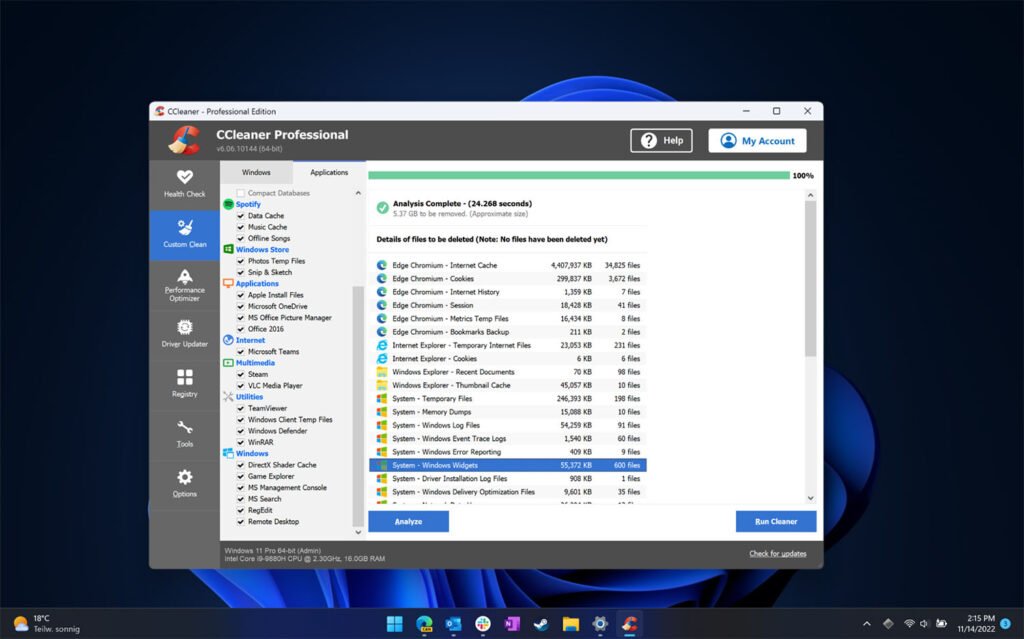
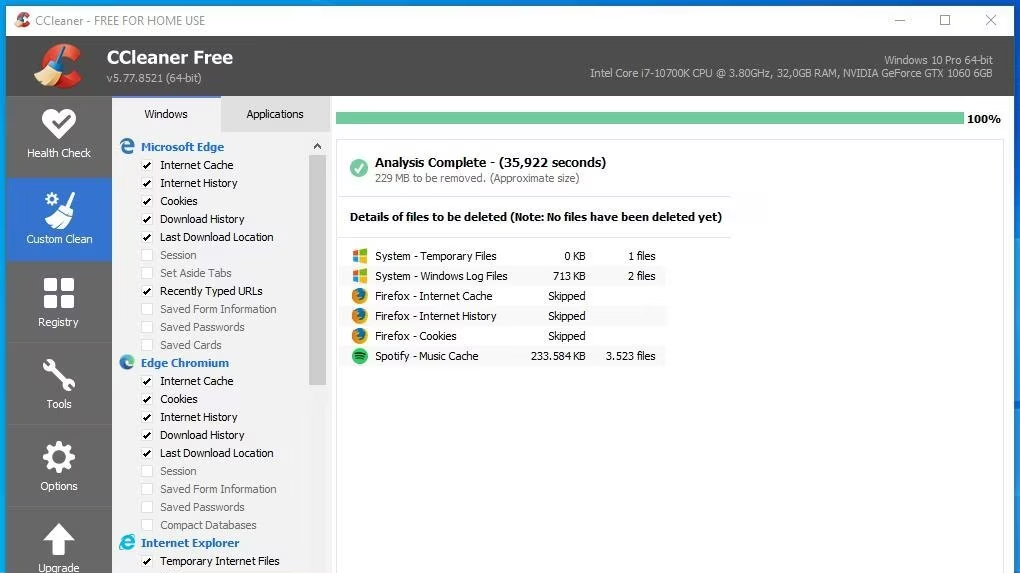
The main purpose of CCleaner Free is to remove junk files that accumulate during daily Windows use.
The software can clean:
- Temporary files
- System cache
- Browser cache
- Cookies
- Recycle Bin contents
- Log files
- Recently opened files list
According to the official release notes, CCleaner allows you to clean files from the Windows system and many third-party applications.
This allows users to quickly free up storage space and organize their system.
Browser Cleaning and Privacy Protection:
CCleaner includes a cleaning feature for major web browsers.
The software can remove:
- Browsing history
- Download history
- Cookies
- Cached web files
- Saved session data
This feature helps improve privacy and free up storage space.
In addition, recent updates have improved browser handling during cleaning to reduce unexpected crashes.
Startup Program Management:
Startup optimization is another important feature of CCleaner Free.
Users can:
- View startup applications
- Disable unnecessary startup items
- Improve Windows startup time
- Reduce background resource usage
Startup program management speeds up system startup and reduces unnecessary CPU and RAM usage.
Duplicate File Detection:
CCleaner now includes a duplicate file detection tool that can identify duplicate files on your computer.
This feature allows users to:
- Locate duplicate documents
- Remove duplicate media files
- Recover disk space
- Optimize storage organization
The official release notes mention improvements to the responsiveness and performance of the duplicate file finder in the latest updates.
Disk Analysis Tool:
The built-in disk analysis tool helps users identify the types of files and folders that consume the most storage space.
This allows users to:
- Locate large files
- Understand storage usage
- Delete unnecessary content
- Manage disk space more efficiently
Recent updates have improved the responsiveness of the disk analysis tool during large scans.
What’s New in CCleaner Free 7.7.1313.1667?
Faster Disk Analyzer and Duplicate Finder:
Version 7.7 improves the responsiveness of the Disk Analyzer and the scanning speed of the Duplicate Finder.
The official release notes mention:
- Faster item selection
- Smoother scanning
- Reduced interface latency during large scans
These improvements speed up storage scanning and duplicate removal.
Improved Browser Cleanup:
The latest updates improve browser handling during cleaning processes.
This change reduces issues related to browser cleanup and minimizes “Browser not properly closed” warnings after cleaning sessions.
Improved Software Update Manager Reliability:
The latest version improves the responsiveness of the Software Update Manager and the Driver Update Manager.
Improvements:
- More reliable driver installations
- Improved offline error handling
- More responsive update interface
- These updates improve the usability and stability of updates.
- Enhanced security for scheduled tasks
CCleaner has strengthened scheduling security to ensure that only those who created scheduled tasks can modify them.
Stability improvements and bug fixes:
Version 7.7 also fixes several bugs and interface issues, including:
- Off-screen windows
- Driver update program crashes
- Notification overlap issues
- Accessibility improvements
- These fixes improve overall stability and the user experience.
Screenshots:
System Requirements:
Minimum System Requirements:
To use CCleaner Free 7.7.1313.1667 optimally, users must meet the following minimum system requirements:
- Operating System: Windows 10 or Windows 11
- Processor: Intel or AMD processor
- RAM:2 GB of RAM
- Disk Space: Approximately 200 MB of available space
- Internet Connection: Required for updates and online features
According to download lists, CCleaner Free is compatible with a wide range of Windows systems and has a small installation footprint.
Minimum System Requirements:
For smoother multitasking and faster scans, the following configuration is recommended:
- Operating System: Windows 11 (latest version)
- Processor: Recent Intel or AMD multi-core processor
- RAM: 8 GB or more
- Storage: SSD recommended
- Screen: 1366 × 768 resolution or higher
Meeting the recommended specifications improves scan speed and interface responsiveness.
Advantages:
- User-Friendly Interface
- The software remains easy to use and accessible to beginners.
- Fast Junk File Removal
- Temporary files and cache data can be quickly deleted.
- Built-in Duplicate File Detection
- The built-in duplicate file detector helps free up storage space.
- Startup Management Tools
- Users can easily optimize startup performance.
- Improved Modern Interface
- Version 7 offers a clearer and more responsive user interface.
- Extended Application Cleanup Support
- CCleaner allows you to clean up third-party applications.
Additional Features:
Some users feel that recent versions of CCleaner offer too many additional features beyond basic cleaning.
Risks Associated with Registry Cleaning
Registry cleaning tools may have limited benefits and can sometimes cause problems if misused.
Criticisms Regarding Driver Updates
Some community members report issues with the driver update functionality.
Persistent Background Processes
Several users complain that CCleaner remains active in the background after updates.
Reduced Free Features
Some long-time users feel that recent versions limit features previously available in the free version.
Conclusion:
CCleaner 7.7.1313.1667 remains one of the most popular Windows cleaning utilities. With its tools for removing junk files, cleaning the browser, optimizing startup, finding duplicate files, and analyzing storage, CCleaner 7.7.1313.1667 offers a practical, comprehensive maintenance solution for Windows users.
Homepage: downloadsetup.info





Leave a Reply